
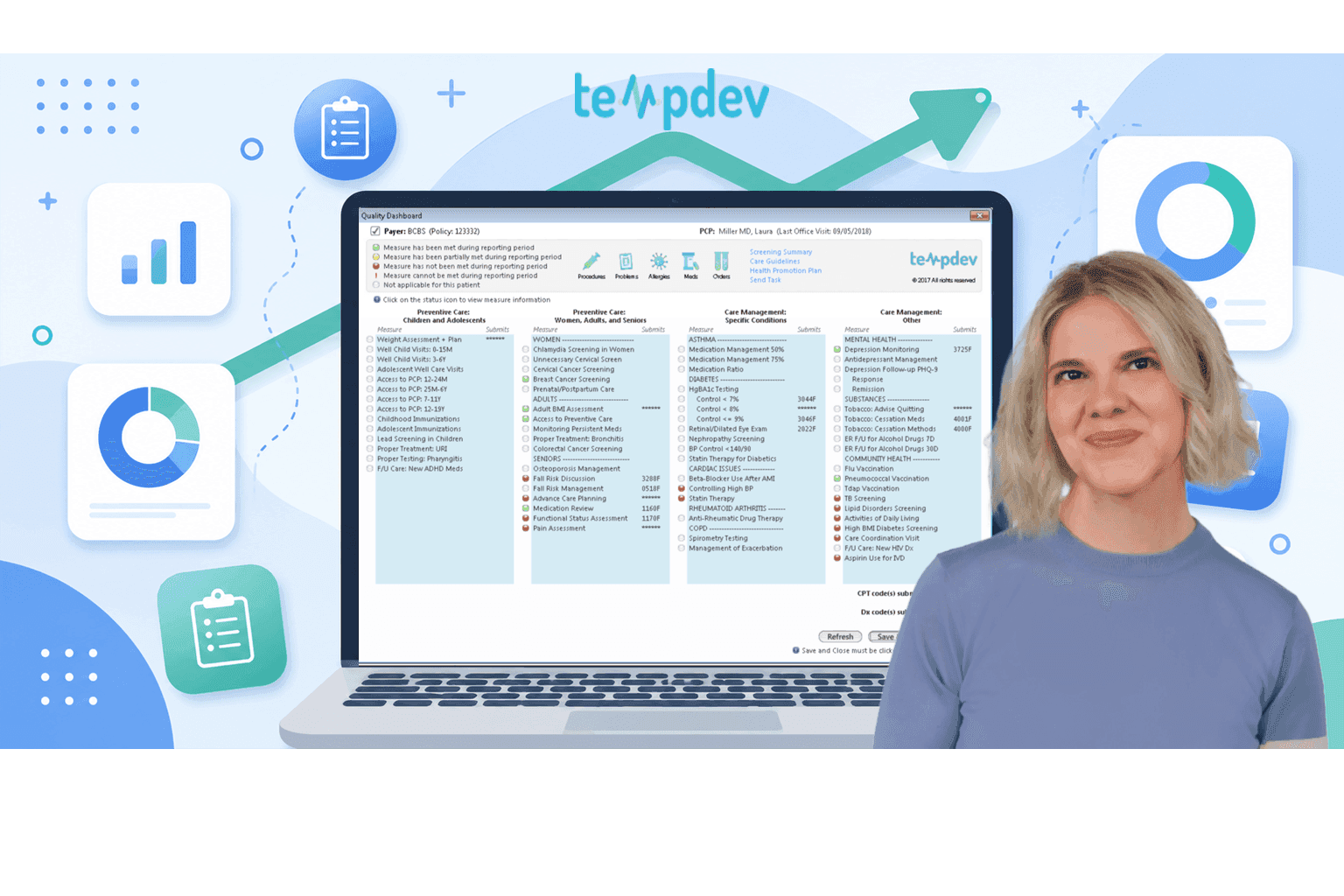
Turning Quality Reporting into Actionable Insight in NextGen

Quality reporting has a blind spot. And most practices do not see it until it is too late.
Population health tools and quality reports do one thing well. They identify patients who fall into specific cohorts or denominators. Care coordinators get those lists. They reach out to patients and schedule appointments.
That work is important. It gets patients in the door.
But here is the question. What happens once the patient is already there?
The patient sits in the exam room. The physician opens the chart. And the quality data? It is somewhere else. In a report. On a spreadsheet. Printed out and sitting on a desk down the hall.
That is the blind spot. And it is where TempDev's Quality Template changes everything.
The Real Problem with Traditional Quality Reporting
Here's how most practices handle quality measures today.
Someone runs a report. It identifies patients who need specific screenings or services. Care coordinators get that report, they call patients, schedule visits, and print lists for the front desk.
All of that work helps get patients in the door. That is valuable.
But what about the patient already sitting in the exam room? The physician has a narrow window to close care gaps. Flu shot. Mammogram. Diabetes screening. Blood pressure check.
Without the right tool at the point of care, those opportunities get missed. The physician does not know which gaps are open.
MIPS reporting tools and HEDIS dashboard healthcare solutions are great for population health. They identify who needs care, which is a critical part of the process.
But they do not solve the point-of-care problem.
That is where TempDev's Quality Template comes in. It is designed to be the point-of-care tool that takes action on all quality measures, regardless of program, in as few clicks as possible.
What Happens at the Point of Care Matters Most
Think about the last time you saw a physician.
They had a few minutes to address your needs. Screenings. Vaccinations. Chronic condition management. Every second counts.
Now imagine that the physician has a tool that shows, right there in the chart, exactly which quality measures are open for you. Flu shot due? Red indicator. Mammogram overdue? Yellow. Diabetes screening complete? Green.
That is what TempDev's Quality Template does. It puts quality data directly into the clinical workflow.
This template is used by physicians and nurses when they are with the patient. Not care coordinators working from a report, and not administrators running numbers; the people actually delivering care.
Additionally, the template automatically handles CPT II code submission. Traditionally, clinics had to manually add those codes to alert insurance companies. That not only takes time, but is also easy to forget. TempDev's template automates the whole thing.
Why Existing Quality Reports Are Still Valuable
TempDev is not saying you need to throw out your existing MIPS, HEDIS, and UDS reporting tools. They are not outdated. They are quite helpful.
Those reports identify which patients need care, help care coordinators prioritize outreach, and support population health management.
The Quality Template does not replace those tools. It completes them.
Population health reports get patients in the door. The Quality Template closes the gaps once they arrive. One without the other leaves opportunities on the table.
Together, they create a complete workflow. Identify the need. Schedule the visit. Close the gap at the point of care. Report the result.
That is how NextGen quality reporting should work.
What Real-Time Quality Visibility Looks Like at the Point of Care
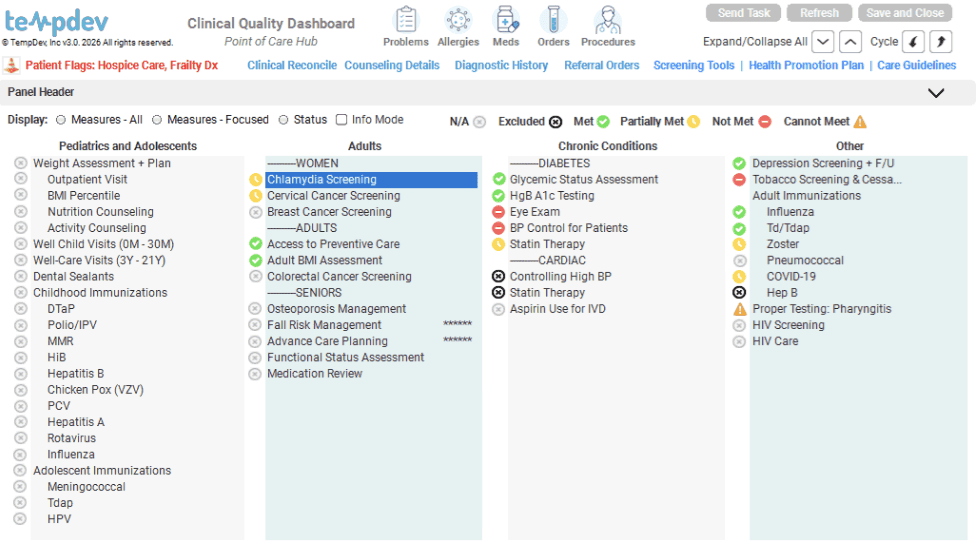
Here is how the Quality Template works in practice.
A physician opens a patient's chart. The template launches right there, inside the EHR. No pop-ups or separate windows. It is a standalone medical record template.
The template displays all relevant quality measures. MIPS. HEDIS. UDS. Others as well. Each measure has a clear status indicator.
Green means the measure is met.
Yellow means partially met.
Red means not met.
The physician can see instantly what needs attention.
The whole process takes a few clicks, enabling the patient to get the care they need before they leave the exam room.
This is not a dashboard that leaders look at after the fact. It is not a report that someone runs at the end of the month. It is a healthcare quality dashboard that lives inside the patient chart and works in real time.
How TempDev's Quality Template Changes the Game
TempDev recently updated the Quality Template. Here is what changed.
Completely refreshed user experience. The template has a new look and feel. Updated layout. Cleaner icons. Better usability.
Most importantly, it transitioned from pop-ups to a standalone medical record template. No more disruptive windows. The workflow is seamless now.
Enhanced configurability. Teams can tailor the template without custom development. Adjust parameters like age ranges and other settings directly in the configuration. Less dependency on developers. Faster changes. Lower cost.
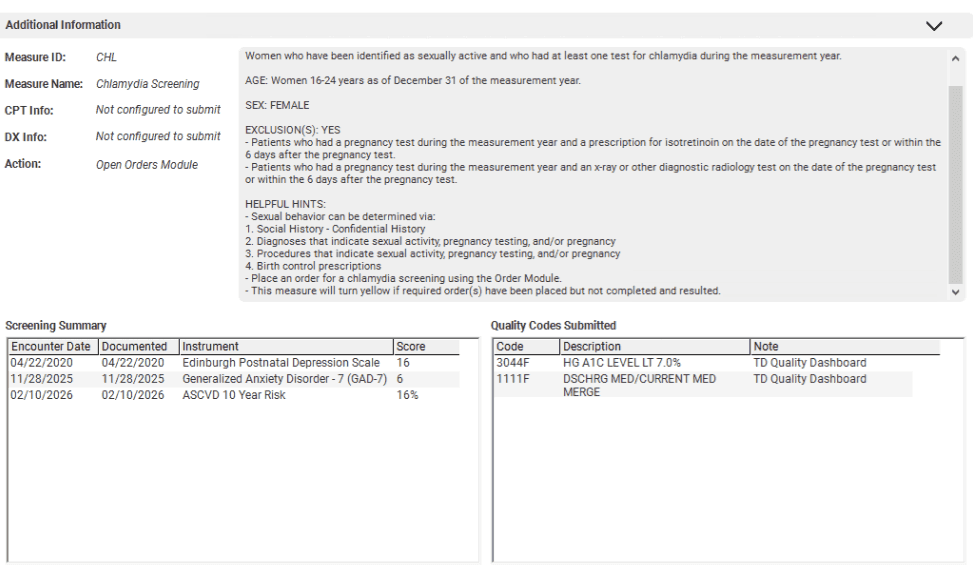
Clearer measure visibility. New status indicators explicitly show when a patient is excluded from a measure. The old approach just showed "not qualifying." That was confusing. Now teams know the difference. Measure details, including qualifying codes and criteria, directly within the template.
Smarter workflow focus. The template helps users focus on unmet measures. That makes it easy to prioritize gaps in care. Increased data visibility supports better decision-making at the point of care.
Expanded and modernized measure set. 2026 brought a broad measure of overhaul. Updated measures and newly added measures are all designed to align with current quality reporting and clinical workflows.
The Quality Template aggregates key metrics across programs. It translates data into action. Most importantly, it helps physicians and nurses close gaps during the visit, not weeks later.
Learn more about the Quality Template product here.
Real-World Workflow
Before. A practice runs monthly quality reports. The care coordinator identifies patients due for colorectal cancer screening. She calls patients to schedule appointments. When a patient arrives, the physician has no easy way to see that the screening is due. The visit happens, but the screening gets forgotten. The report runs again next month, and the gap still exists.
After. The same practice uses the same population health reports. They still identify patients and schedule appointments. But now, when the patient arrives, the physician opens the Quality Template. It shows clearly that the screening is due. One click opens the documentation. The physician orders the screening before the patient leaves. Gap closed.
The difference is not complicated. It is about putting the right tool in front of the right person at the right time.
Final Takeaway
Reporting alone does not improve outcomes. You can generate perfect reports every month. If no one acts on them, nothing changes.
But action has to happen at the right time and place. For quality measures, that time and place is the exam room. The patient is there. The physician is there. The opportunity is right in front of you.
TempDev's Quality Template captures that opportunity. It works alongside your existing MIPS, HEDIS, and UDS reporting tools; it does not replace them, it completes them.
The template is used by physicians and nurses at the point of care. It automates CPTII code submission. It displays clear status indicators, closing gaps in a few clicks.
For more on how TempDev approaches reporting and workflow optimization, check out our blog on operational analytics or our original Quality Template announcement.
See the Quality Template in Action
The best way to understand the difference is to see it work.
Schedule a demo with TempDev. We will show you how the Quality Template puts point-of-care quality tracking into your NextGen workflow. See how physicians and nurses can close gaps in a few clicks. Learn how automated CPTII codes save time and reduce errors.
Ready to get more of your NextGen system?
Help your organization achieve measurable improvements in efficiency, compliance, and performance.